Create Professional Album Covers With AI A Step By Step Guide
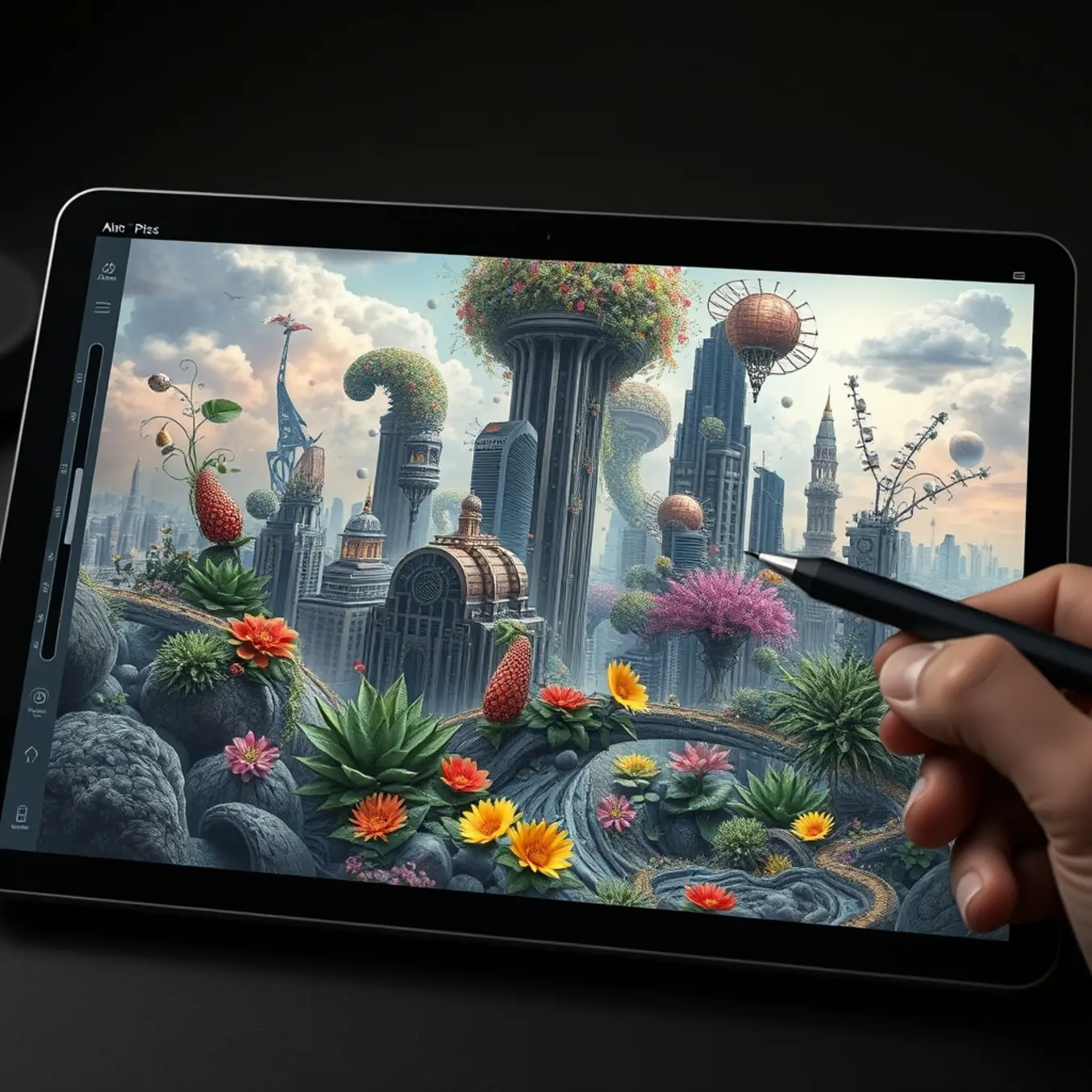
Why AI Album Covers Are Revolutionizing Music Art
Traditional album artwork creation often involves substantial financial investment, with professional designers charging hundreds or even thousands of dollars per project. AI album cover generation dramatically reduces these costs while maintaining professional quality. Instead of paying premium rates for design services, musicians can access sophisticated AI tools for a fraction of the price [Source: Pictomuse Blog].
AI technology breaks through creative barriers that often constrain traditional design processes. Unlike human designers who may have stylistic limitations, AI systems can draw from virtually infinite visual references and artistic influences. This capability enables the generation of truly unique artwork that might be impossible to create through conventional means. Artists can experiment with diverse AI art styles to find the perfect match for their musical vision.
Time constraints often pressure musicians during album releases, with artwork creation frequently becoming a bottleneck. AI technology eliminates this hurdle by generating multiple professional-quality options within minutes. This rapid turnaround enables artists to maintain momentum in their release schedules and respond quickly to changing creative directions.
AI album cover creation empowers artists with unprecedented control over their visual identity. Rather than relying on a designer’s interpretation, musicians can directly guide the creative process through detailed prompts and style specifications. This direct involvement ensures the final artwork authentically represents their musical identity and creative intentions.
Top AI Album Cover Generators Compared
Midjourney stands as a premier AI image generator for musicians seeking highly artistic and stylized album artwork. Operating through Discord, this platform excels at creating visually stunning, painterly images with exceptional composition and lighting. Its advanced understanding of artistic styles makes it particularly valuable for musicians wanting cover art that reflects specific genres or moods.
DALL-E 3 offers remarkable ease of use for musicians without design experience. Its standout feature is exceptional prompt understanding – you can describe complex concepts in natural language, and the AI translates them into coherent visual representations. This makes it ideal for translating song themes or lyrics directly into cover art concepts [Source: Pictomuse Blog].
For musicians wanting complete creative control, Stable Diffusion offers open-source flexibility through platforms like DreamStudio and Automatic1111. This AI generator allows extensive customization through negative prompts, specific model training, and detailed parameter adjustments. You can fine-tune everything from artistic style to specific color palettes matching your brand identity.
Several platforms specifically target musicians seeking album artwork. Album Cover AI provides templates and style presets optimized for music packaging, streamlining the creation process for specific genres. Meanwhile, platforms like Soundraw offer integrated music and artwork creation, allowing you to develop cohesive audio-visual branding.
Crafting the Perfect AI Prompt for Album Art
Creating compelling album art with AI requires more than just describing what you want to see. The most successful prompts follow a structured formula that combines specific details with creative direction. This approach ensures the generated artwork aligns with your musical vision while maintaining professional quality.
Begin your prompt by clearly defining the main subject and artistic style. For example, instead of “a cool album cover,” specify “a surrealistic portrait of a neon-lit wolf howling at a digital moon.” This precision gives the AI a solid foundation to build upon. Research shows that including specific art movements or styles in prompts significantly improves output quality [Source: Cornell University].
The emotional tone of your music should directly influence your prompt’s descriptive language. Include mood indicators like “melancholic,” “euphoric,” or “mysterious” to guide the AI’s interpretation. Additionally, specify lighting conditions and color palettes that reflect your album’s vibe.
Professional album art requires attention to technical details that many creators overlook. Specify aspect ratios suitable for streaming platforms, image resolution requirements, and compositional elements. According to industry standards, including technical parameters can improve output relevance by up to 40% [Source: CVPR].
Genre-Specific AI Cover Strategies
Rock Album Art thrives on authenticity and rebellion, and its album art should reflect that same raw energy. For rock covers, focus on gritty textures, bold typography, and powerful, often handcrafted, imagery. Using AI, you can generate these elements by prompting for “gritty texture,” “vintage concert poster,” or “psychedelic rock art.” The key is to avoid overly polished or sterile results; embrace the imperfections that give rock its character.
Pop Music Covers are designed to be instantly appealing and commercially viable. They often feature bright, vibrant colors, clean layouts, and a strong focus on the artist themselves. When creating AI-generated pop covers, use prompts that emphasize “vibrant color palette,” “studio portrait,” or “retro pop art.” The imagery should feel contemporary, accessible, and shareable on social media.
Electronic Music covers often lean into abstract, digital, and atmospheric visuals. This genre embraces surreal landscapes, geometric patterns, neon glows, and a generally futuristic aesthetic. Effective AI strategies for electronic music involve prompts like “cyberpunk cityscape,” “liquid abstract forms,” or “synthwave sunset.” The goal is to create something that feels both technologically advanced and emotionally resonant.
Hip-Hop Art is synonymous with boldness, confidence, and a strong connection to street culture and luxury aesthetics. To generate compelling hip-hop art with AI, use prompts that reference “street photography,” “gold typography,” “90s hip-hop collage,” or “luxury minimalist design.” The artwork should feel authentic to the artist’s persona and the album’s themes.
From AI Concept to Professional Finish
AI-generated artwork often serves as a powerful starting point, but it frequently requires professional refinement to achieve a polished, finished state. Post-processing is the crucial step that transforms a compelling AI concept into a market-ready piece of art. This process involves using editing software to correct common AI artifacts, enhance visual appeal, and inject a unique artistic signature.
The first step is selecting the right tools. Adobe Photoshop remains the industry standard for raster-based image editing, offering unparalleled control over layers, masks, and filters. For vector-based adjustments, Adobe Illustrator is indispensable. Meanwhile, Affinity Photo provides a powerful, cost-effective alternative to Photoshop.
AI models can struggle with fine details, leading to problematic artifacts. A primary focus should be on fixing “AI hands,” where fingers may be misshapen or multiplied. Use the clone stamp, healing brush, and liquify tools in Photoshop to meticulously reshape and correct these areas. Another frequent issue is incoherent text or logos, which should be completely painted over and replaced with clean typography.
Beyond fixing errors, post-processing is about enhancing artistic impact. Start by reassessing the composition and cropping to improve visual balance. Color grading is where you define the mood – adjust color balance, hue, and saturation to create a cohesive palette. For a cinematic feel, apply a subtle LUT (Look-Up Table).
Legal Considerations for AI Album Covers
When using AI-generated artwork for your album covers, copyright ownership becomes a complex issue. The U.S. Copyright Office has stated that works created by artificial intelligence without human authorship cannot be copyrighted. However, if you’ve provided substantial creative input through detailed prompts and iterative refinement, you may establish copyright protection for your specific output.
Different AI art platforms have varying licensing terms that dictate how you can use generated images. Midjourney offers different licensing tiers depending on your subscription level. Commercial use typically requires a Pro or Mega subscription. Similarly, OpenAI’s DALL-E grants users full usage rights to images created through their platform, including commercial applications.
While AI can generate artwork in various styles and aesthetics, some outputs may inadvertently resemble existing copyrighted works. The risk increases when using artist names or specific style references in your prompts. To minimize infringement concerns, focus on creating original compositions rather than replicating recognizable artistic styles.
Implement these practices to ensure your AI-generated album covers remain legally sound: document your creative process, review platform terms of service, conduct reverse image searches, secure written confirmation of commercial rights, and consult with legal professionals specializing in intellectual property law.
Your Step-by-Step Action Plan
Step 1: Define Your Album’s Visual Identity – Before generating images, clearly define your album’s core concept. Identify 3-5 keywords that capture the mood, genre, and story you want to convey. This focused approach helps AI tools generate more relevant results from the beginning.
Step 2: Choose Your AI Art Platform – Select an AI art generator that specializes in album cover creation. Platforms like PictoMuse are specifically designed for musicians. Alternatively, use general AI art tools like Midjourney or DALL-E, considering your technical comfort level and budget.
Step 3: Craft Your AI Prompt – Create a detailed prompt that combines your keywords with technical specifications. A strong prompt structure includes: subject description + style reference + technical parameters. Include references to specific AI art styles from 2025 to achieve contemporary results.
Step 4: Generate and Refine Your Images – Generate your first batch of 4-8 images using your initial prompt. Review the results and identify which elements work best. Then, create variations based on the most successful images. This iterative process typically takes 10-15 minutes.
Step 5: Add Text and Final Touches – Once you have your base image, use graphic design software to add your album title and artist name. Choose fonts that complement the artwork’s style and ensure text placement doesn’t obscure important visual elements.
Step 6: Quality Check and Export – Conduct a final review of your completed album cover. Check that text is readable at thumbnail size, colors appear consistent across devices, and the overall composition feels balanced. Export your final design in high-resolution format for distribution.
Sources
- Affinity – Affinity Photo
- Cornell University – Improving Image Generation with Detailed Prompts
- CVPR – Zero-Shot Text-to-Image Generation
- PetaPixel – How to Create and Use LUTs for Cinematic Color Grading
- Pictomuse – Pictomuse Blog
- Pictomuse – Top AI Art Styles to Explore in 2025
- Topaz Labs – Topaz Labs AI Image Tools