The Art And Science Of Creating Realistic AI Portraits
Understanding the AI Portrait Landscape
The journey of AI portrait generation began with early neural networks that produced blurry, abstract faces. These initial systems, like the first Generative Adversarial Networks (GANs) introduced in 2014, demonstrated the potential for machines to create visual content from scratch. However, the results were often low-resolution and lacked coherence.
Subsequent years saw rapid advancements. Models like StyleGAN and its successor, StyleGAN2, marked a significant leap forward. Developed by NVIDIA, these architectures gave AI unprecedented control over features like pose, hairstyle, and facial expression, producing portraits that were strikingly realistic for their time. This evolution set the stage for the powerful, user-friendly tools we have today.
Current Leading Tools in the Market
Today, several platforms dominate the AI portrait landscape, each with unique strengths. Midjourney is renowned for its artistic and often cinematic style, making it a favorite for creating evocative and stylized portraits. Its algorithm excels at interpreting nuanced prompts to generate images with a distinct aesthetic feel.
Meanwhile, OpenAI’s DALL-E, particularly its third iteration, is celebrated for its ability to understand and execute complex, detailed instructions. It integrates advanced language comprehension, allowing users to describe a specific scene or person with great accuracy. Other notable tools include Stable Diffusion, which is prized for its open-source nature and customizability, empowering developers and artists to fine-tune models for specific portrait styles.
The Persistent Challenge of True Realism
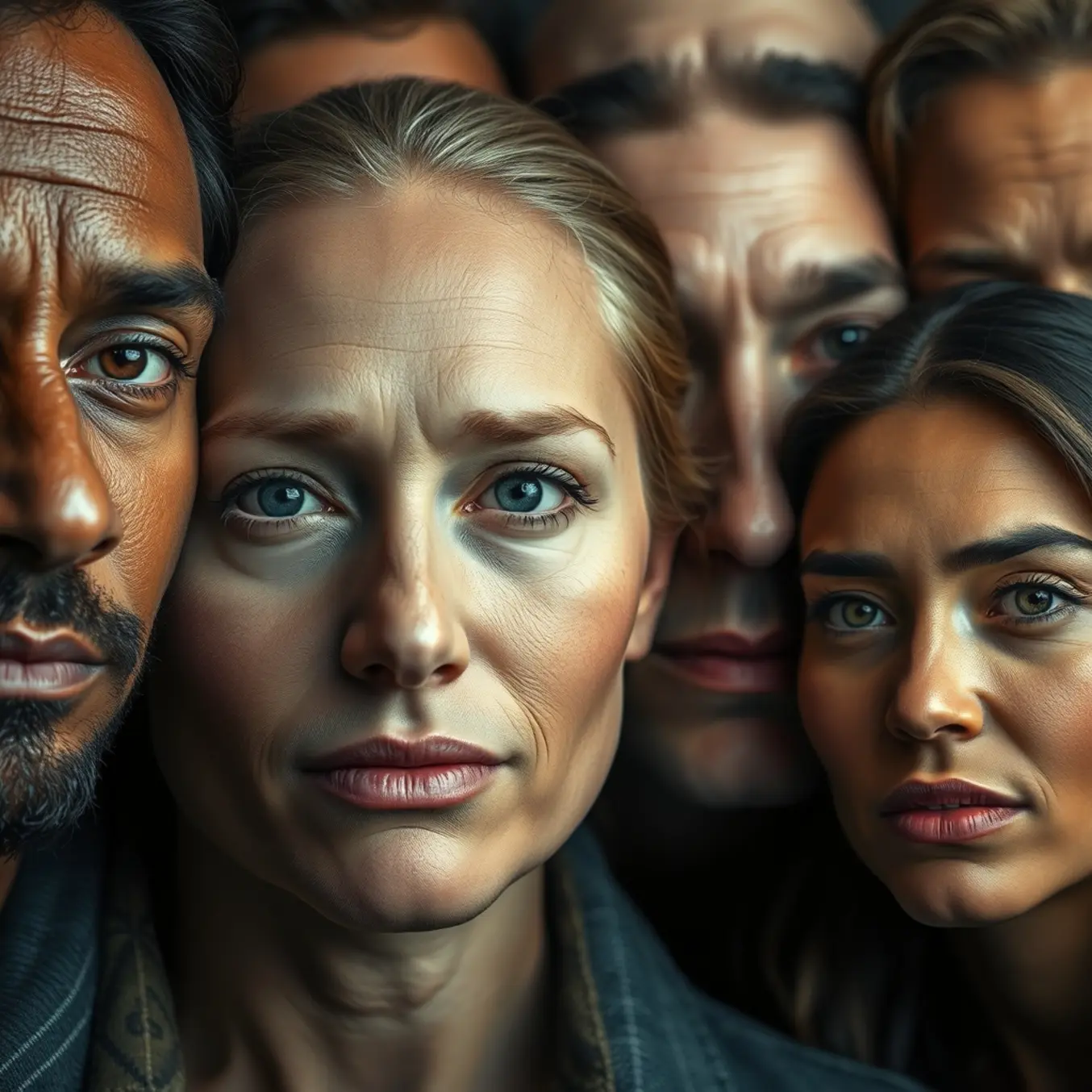
Despite these impressive capabilities, AI still struggles to create portraits that are indistinguishable from photographs of real humans. One of the most significant hurdles is the “uncanny valley” effect, where a figure is almost perfectly realistic but has subtle flaws that create a sense of unease in the viewer.
Common tell-tale signs in AI-generated portraits include:
- Inconsistent Lighting and Shadows: AI can struggle to apply physically accurate lighting across all elements of a face and background.
- Anatomical Inaccuracies: This includes oddly shaped ears, misaligned eyes, strange teeth, or hands with too many or too few fingers.
- Illogical Accessories: Glasses may merge with a face, or jewelry might not interact correctly with clothing or skin.
- Texture Artifacts: Hair might appear as a solid, plastic-like mass, and skin pores can look repetitive or unnatural.
Why These Challenges Persist
The core issue lies in how AI models learn. They are trained on massive datasets of existing images, learning statistical patterns rather than true physical or anatomical principles. Consequently, they become excellent at averaging and replicating common features but can fail when generating novel combinations or fine details that require a deep understanding of three-dimensional structure.
Furthermore, these models lack a genuine understanding of human biology and physics. They don’t “know” that a hand has five fingers connected by joints; they only know that pixels in the “hand” region of thousands of training images are often arranged in a certain way. This fundamental gap is what makes achieving flawless realism one of the final frontiers in AI image generation.
As research continues, focusing on 3D-aware models and improved training techniques, the gap is narrowing. For now, however, the quest for the perfect AI portrait continues to drive innovation in this exciting field.
Mastering the Art of Prompt Engineering
Creating compelling AI-generated portraits requires understanding the fundamental components that contribute to realistic and visually striking results. A well-structured prompt serves as a blueprint for the AI, guiding it toward producing images that meet your artistic vision. The most effective portrait prompts typically include specific details about subject characteristics, lighting conditions, composition, and artistic style.
According to research from Stanford University, structured prompts that follow a logical sequence tend to produce more consistent and higher-quality outputs. This approach allows the AI to process each element systematically, resulting in images that better match the intended outcome. Meanwhile, OpenAI’s research demonstrates that including explicit instructions about visual elements significantly improves image generation accuracy.
Crafting Your Subject Description
The subject forms the core of any portrait prompt, and specificity here is crucial for achieving realistic results. Instead of vague descriptions like “a person,” provide detailed characteristics including age, gender, facial features, expression, and unique attributes. For example, “a middle-aged woman with silver-streaked dark hair, laugh lines around her eyes, and a thoughtful expression” gives the AI concrete visual cues to work with.
Research published in the Nature Machine Intelligence journal shows that including emotional descriptors and specific physical traits increases the likelihood of generating authentic-looking portraits. Additionally, mentioning clothing details, accessories, or distinctive features helps create more personalized and believable characters rather than generic representations.
Mastering Lighting and Atmosphere
Lighting dramatically influences the mood and realism of AI-generated portraits. Specific lighting instructions can transform a flat, artificial-looking image into a professional-quality photograph. Common lighting scenarios include golden hour sunlight, soft window light, dramatic studio lighting, or atmospheric candlelight. Each creates distinct emotional tones and visual characteristics.
A study from ACM Digital Library confirms that including lighting direction and quality in prompts significantly enhances perceived realism. For instance, “side-lit by warm afternoon sunlight creating soft shadows across the face” provides clear guidance about light source, direction, temperature, and resulting effects. Similarly, atmospheric elements like fog, rain, or specific environments contribute to the overall narrative and visual appeal.
Composition and Perspective Techniques
Compositional elements determine how the subject is framed within the image and greatly impact the portrait’s effectiveness. Specify camera angles, shot types, and framing to guide the AI toward your desired composition. Common approaches include close-up portraits, three-quarter shots, environmental portraits showing context, or dynamic angles that create visual interest.
According to IEEE research on computational photography, including compositional guidelines helps maintain proper proportions and spatial relationships in generated images. Terms like “rule of thirds,” “shallow depth of field,” or “eye-level perspective” provide the AI with established photographic principles to follow, resulting in more professionally composed portraits.
Common Prompt Engineering Mistakes to Avoid
Many aspiring prompt engineers undermine their results through easily avoidable errors. One frequent mistake involves using conflicting or contradictory terms within the same prompt. For example, requesting both “soft, diffused lighting” and “hard, dramatic shadows” creates confusion for the AI, often resulting in compromised image quality or unexpected combinations of elements.
Another common error is overloading prompts with excessive details without clear hierarchy. While specificity is valuable, including too many competing elements can dilute the focus and produce cluttered or inconsistent results. Research from Computational Linguistics Journal suggests prioritizing the most important elements first, as AI models typically weigh earlier instructions more heavily than later ones.
The Pitfalls of Vague Terminology
Using subjective or ambiguous terms represents another significant challenge in prompt engineering. Words like “beautiful,” “interesting,” or “high-quality” mean different things to different people—and to AI systems. These terms provide little concrete guidance and often lead to generic or disappointing outcomes. Instead, replace vague descriptors with specific, measurable qualities that the AI can interpret consistently.
Recent studies in AI image generation demonstrate that concrete terminology produces more predictable and higher-quality results. For instance, instead of requesting “professional lighting,” specify “softbox lighting from above creating gentle catchlights in the eyes.” This precise language gives the AI clear, actionable instructions rather than subjective concepts open to interpretation.
Ignoring Technical Constraints and Capabilities
Many prompt engineers struggle because they don’t account for the technical limitations of AI image generation systems. Requesting physically impossible scenarios, extreme detail at small scales, or text rendering—which most image AI handles poorly—often leads to frustration. Understanding what the technology excels at and where it struggles helps craft prompts that work with the system’s capabilities rather than against them.
Technical documentation from leading AI companies like OpenAI’s DALL-E 3 system card provides valuable insights into model limitations and optimal usage patterns. Similarly, community resources and platforms where users share successful prompts offer practical guidance for working within technical constraints while achieving impressive creative results.
Advanced Techniques for Professional Results
Seasoned prompt engineers employ several advanced strategies to elevate their portrait generation. One powerful approach involves using reference artists or photographic styles to establish a specific visual language. Mentioning influential photographers like Annie Leibovitz or artistic movements like Renaissance painting provides the AI with established aesthetic frameworks to emulate.
Another sophisticated technique involves negative prompting—explicitly stating what you don’t want in the image. This helps eliminate common artifacts like extra fingers, distorted features, or unwanted elements that sometimes appear in AI generations. Research from Carnegie Mellon University shows that negative prompts can reduce unwanted elements by up to 40% compared to positive-only prompting.
Iterative Refinement and Testing
Successful prompt engineering rarely happens in a single attempt. The most effective practitioners treat prompt creation as an iterative process, making gradual refinements based on previous results. Keeping a record of prompts and their corresponding outputs allows for systematic improvement and helps identify which elements consistently produce desired effects.
Documentation from AI research communities emphasizes the importance of methodical testing and refinement in prompt development. This approach enables prompt engineers to build a personal library of effective phrasing and techniques tailored to their specific needs and artistic preferences. Over time, this accumulated knowledge significantly improves both efficiency and output quality.
Contextual and Environmental Storytelling
Beyond technical perfection, the most compelling portraits often incorporate environmental context that tells a story about the subject. Including details about setting, time period, or situational context transforms standard portraits into narrative-rich images with emotional depth. Whether placing a subject in a specific historical era, occupational environment, or meaningful location, these contextual elements add layers of interest and authenticity.
Studies in digital storytelling research confirm that environmental context significantly enhances viewer engagement and emotional connection with portrait subjects. By thoughtfully incorporating these narrative elements into prompts, creators can move beyond technically correct images to generate portraits with genuine character and storytelling power.
Technical Foundations for Realism
Mastering camera settings in your AI prompts is essential for achieving professional-looking portraits. The aperture setting, measured in f-stops, directly controls depth of field. For example, a wide aperture like f/1.8 creates a shallow depth of field with beautiful background blur, perfect for isolating your subject. Conversely, a narrower aperture like f/16 keeps more of the scene in focus, ideal for environmental portraits.
Shutter speed is another critical parameter that affects motion capture. A fast shutter speed like 1/1000s freezes action effectively, while slower speeds introduce motion blur for artistic effects. Additionally, ISO settings influence image grain and noise—lower ISO values (100-400) produce cleaner images, while higher ISOs (1600+) introduce noticeable grain that can be used for stylistic purposes.
Lens Selection and Focal Length
The choice of lens significantly impacts portrait characteristics. Prime lenses between 50mm and 85mm are ideal for flattering facial proportions with minimal distortion. According to Adorama’s lens guide, these focal lengths provide natural perspective compression that’s most pleasing for portraits.
Wider lenses (24-35mm) can create dramatic environmental portraits but may distort facial features when used too closely. Meanwhile, telephoto lenses (100-200mm) offer greater compression and background separation, making them excellent for headshots and studio work. The Photography Life analysis confirms that 85mm lenses are particularly favored for their balance between working distance and perspective.
Advanced Lighting Techniques
Lighting is arguably the most powerful tool for creating realistic AI portraits. Understanding different lighting patterns can dramatically improve your results. Rembrandt lighting, characterized by a small triangle of light on the shadowed cheek, creates depth and dimension. This technique, as documented by Studio Binder, produces classic, dramatic portraits with strong emotional impact.
Butterfly lighting, with its distinctive shadow under the nose, is perfect for creating elegant, glamorous portraits. Split lighting divides the face evenly between light and shadow for dramatic effect, while loop lighting provides gentle shadows that flatter most face shapes. The Digital Photography School guide explains how each pattern serves different artistic purposes.
Natural vs Artificial Light Sources
Natural light offers beautiful, soft illumination during golden hour (the first and last hours of sunlight). Overcast days provide diffuse, shadowless light that’s exceptionally flattering for portraits. When specifying artificial lighting, include details about modifier types—softboxes create gentle, wrap-around light, while umbrellas produce broader, more diffuse illumination.
Studio strobes and continuous lights each have distinct characteristics worth noting in prompts. The quality of light also varies significantly between hard light sources (creating sharp shadows) and soft light sources (producing gradual transitions). According to B&H Photo’s lighting guide, the size of the light source relative to your subject determines how soft or hard the shadows appear.
Practical Prompt Implementation
Combine these technical elements in your prompts using specific, descriptive language. For example: “Professional portrait photography, 85mm f/1.8 lens, soft Rembrandt lighting from a large softbox, ISO 200, shallow depth of field with creamy bokeh background.” This level of detail gives AI systems clear parameters to work with.
Remember to specify the time of day for outdoor portraits and the type of artificial lighting for studio scenes. Include camera angles (eye-level, high-angle, low-angle) and composition rules like the rule of thirds. The more technical information you provide, the more photographic and realistic your AI portraits will become.
Human Anatomy and Expression
Understanding human facial anatomy is fundamental to creating convincing AI-generated portraits. The human face consists of complex bone structures, muscles, and soft tissues that work together to create expressions. The skull provides the underlying framework, while over 40 facial muscles control subtle movements that convey emotion. For instance, the zygomaticus major muscle pulls the corners of the mouth upward during a smile, while the orbicularis oculi muscle creates the characteristic crinkling around the eyes in genuine expressions.
Proper facial proportions follow established guidelines that artists have used for centuries. The face typically divides into equal thirds: from hairline to brow, brow to nose base, and nose base to chin. Meanwhile, the eyes usually sit halfway down the head, with approximately one eye’s width between them. These anatomical relationships create the foundation for realistic facial generation.
Key Facial Landmarks for Authentic Portraits
Several critical landmarks determine facial recognition and emotional interpretation. The nasolabial folds running from nose to mouth corners deepen with age and expression. The philtrum—the vertical groove between nose and upper lip—varies significantly between individuals. Additionally, the canthal tilt (angle of eye corners) influences perceived attractiveness and emotion. Mastering these subtle variations prevents the uniform, artificial appearance common in early AI portraits.
Capturing Authentic Human Emotions
Genuine emotional expression involves coordinated movements across multiple facial regions. According to research on facial action coding, authentic smiles engage both the mouth and eye regions simultaneously—known as Duchenne smiling. Meanwhile, microexpressions lasting just fractions of seconds can reveal true emotional states beneath controlled expressions.
Emotional authenticity requires understanding how different feelings manifest physically. Surprise typically involves raised eyebrows, widened eyes, and a slightly open mouth. Anger often creates lowered brows, tightened lips, and flared nostrils. Sadness commonly appears as inner brow raising, lip corner depression, and sometimes tears. These patterns follow cross-cultural universals in emotional expression.
Avoiding Common Emotional Pitfalls
Many AI systems struggle with emotional subtlety, creating exaggerated or mismatched expressions. For example, disproportionate eyebrow lifting can make concern appear as shock. Similarly, insufficient mouth movement during smiling creates the “dead eyes” effect. Balanced emotional portrayal requires appropriate intensity across all facial regions rather than isolated feature manipulation.