Mastering AI Art From Prompt To Perfection
Mastering the Art of Prompt Engineering
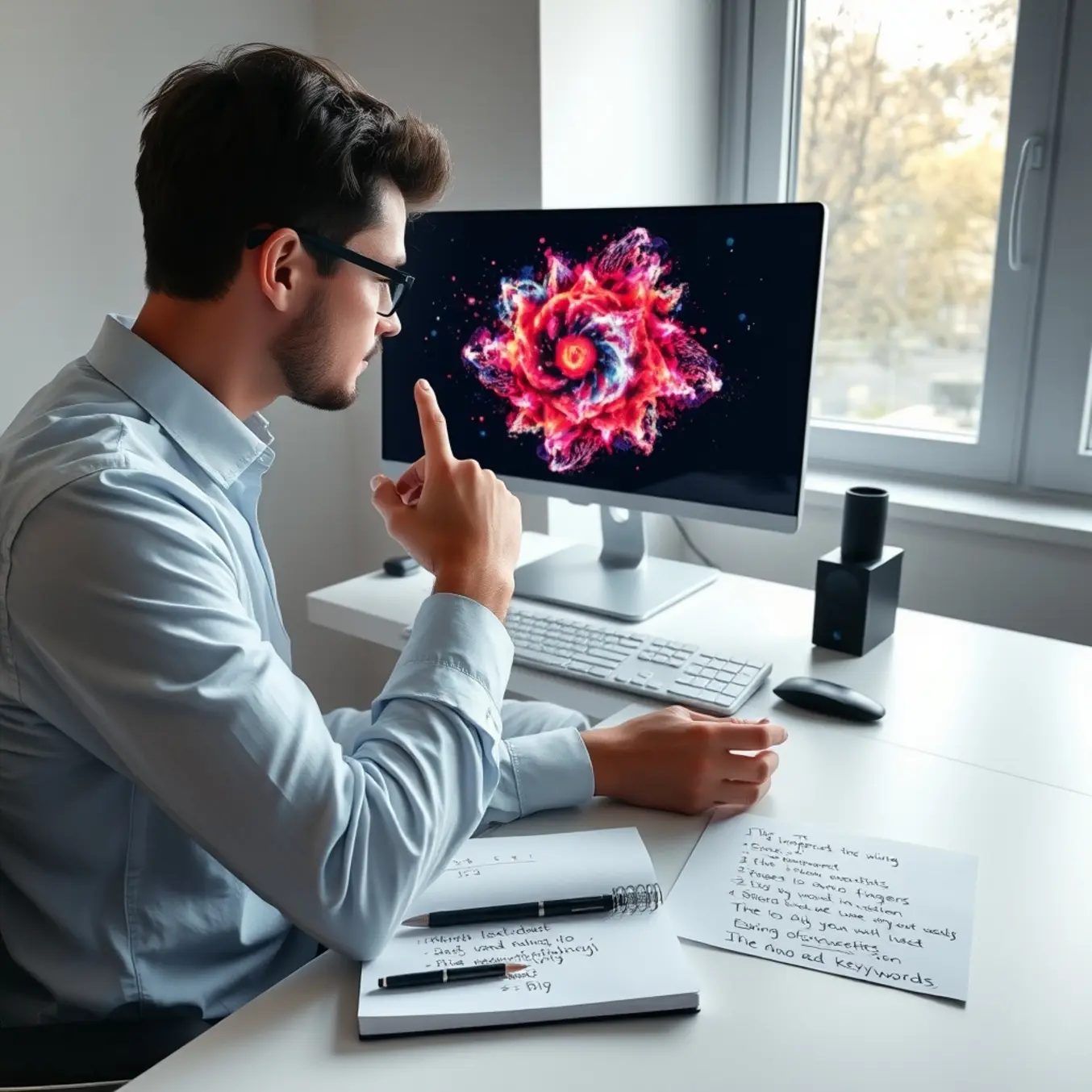
Prompt engineering is the systematic practice of crafting inputs to guide AI models toward producing desired outputs. This skill bridges the gap between human creativity and machine interpretation, transforming abstract ideas into concrete visual results. Effective prompt engineering requires understanding how AI models process language and recognize patterns in training data.
Unlike traditional programming where instructions are explicit, AI communication involves nuanced language choices that activate specific neural pathways. Research from Stanford University demonstrates that well-structured prompts can improve output quality by up to 40% compared to basic instructions. This technique has become essential for artists, designers, and creators working with generative AI tools.
The Core Components of Effective Prompts
Successful AI art generation relies on several key prompt elements working together. The subject forms your primary focus, while style descriptors determine the visual treatment. Medium specifications define the artistic technique, and composition elements guide the overall arrangement.
- Subject and Action: Clearly define what or who appears and what they’re doing
- Style and Medium: Specify artistic movements, techniques, or digital treatments
- Composition and Perspective: Control camera angles, framing, and spatial relationships
- Lighting and Mood: Determine atmosphere through lighting conditions and emotional tone
- Technical Specifications: Include resolution, aspect ratio, and detail level
According to OpenAI’s research, providing multiple relevant details significantly increases the likelihood of generating targeted, high-quality results. However, overcrowding prompts with contradictory elements can confuse the AI and produce inconsistent outputs.
Advanced Techniques for Precision Control
Beyond basic descriptive elements, experienced prompt engineers employ several advanced techniques to refine their results. Weighted terms using numerical values or parentheses allow you to emphasize certain elements over others. Negative prompting explicitly excludes unwanted elements from the final image.
Iterative refinement represents another powerful approach. Begin with a broad concept, analyze the initial output, then progressively add specific details in subsequent generations. This method often produces more coherent results than attempting to describe everything in a single prompt.
The top AI art styles to explore in 2025 article demonstrates how combining style references with technical parameters creates distinctive visual outcomes. Meanwhile, chain-of-thought prompting breaks complex concepts into logical steps, helping the AI understand relationships between different elements.
Common Pitfalls and How to Avoid Them
Many beginners struggle with vague language that leaves too much interpretation to the AI. Instead of “beautiful landscape,” specify “serene mountain landscape at golden hour with dramatic cloud formations.” Similarly, avoid contradictory terms that create confusion, such as “minimalist detailed illustration.”
Another frequent issue involves assuming the AI understands context that hasn’t been explicitly stated. Research from Google DeepMind shows that AI models lack human common sense, requiring explicit instructions about physical laws, social conventions, and logical relationships.
Over-specification presents the opposite problem—including so many details that the AI cannot prioritize the most important elements. Successful prompt engineering balances sufficient detail with clear hierarchy, ensuring the model understands which elements matter most to your vision.
Advanced Settings and Parameters Demystified
Understanding Core Configuration Parameters
Advanced AI art generation relies on several key parameters that directly influence output quality and style. The OpenAI DALL-E documentation identifies critical settings including model version, image dimensions, and quality presets that form the foundation of generation control. Similarly, Stable Diffusion’s technical parameters demonstrate how resolution, sampling methods, and step counts create distinct visual outcomes. These fundamental controls enable artists to balance generation speed against detail complexity while maintaining creative direction.
Quality and Detail Enhancement Settings
Modern AI art platforms offer sophisticated quality parameters that dramatically impact output fidelity. The Google Imagen technical paper reveals how upscaling multipliers and detail enhancement algorithms can transform basic generations into high-resolution masterpieces. Many platforms now incorporate style strength sliders and detail boost parameters that allow fine-tuning of texture complexity and visual richness. These settings work in concert to elevate simple prompts into gallery-worthy artwork while preserving artistic intent across different AI art styles and aesthetic approaches.
Advanced Sampling and Generation Techniques
Sampling methods represent some of the most powerful yet misunderstood parameters in AI art creation. According to research from Stability AI, different sampling schedulers like DPM-Solver, Euler, and DDIM produce significantly varied artistic results from identical prompts. Temperature and creativity controls allow artists to balance predictability against innovation, enabling either precise replication of reference styles or completely novel interpretations. These technical settings essentially function as the “artistic risk” dials of AI generation, determining how far the model ventures from established patterns.
Negative Prompting and Exclusion Parameters
Negative prompting has emerged as a crucial technique for refining AI art outputs by specifying what elements to avoid. The Hugging Face implementation guide demonstrates how exclusion parameters can eliminate unwanted artifacts, improve composition, and enhance subject focus. Advanced users employ weighted negative prompts to precisely control the absence of specific colors, textures, or compositional elements. This approach transforms generation from a process of addition to one of strategic subtraction, allowing for cleaner results and more intentional artistic direction.
Creative Techniques for Enhanced Composition
Mastering the Art of Framing
Effective framing is the cornerstone of compelling AI artwork composition. By strategically positioning elements within your image, you can guide the viewer’s eye and create visual harmony. The rule of thirds remains a fundamental principle—imagining your canvas divided into a 3×3 grid and placing key subjects at the intersection points creates balanced, engaging compositions.
Leading lines represent another powerful technique for directing attention. Roads, rivers, or architectural elements can naturally draw the viewer’s gaze toward your focal point. Additionally, framing within a frame—using windows, doorways, or natural arches to encircle your subject—adds depth and context to your AI-generated artwork.
Advanced Framing Strategies
Negative space, when used intentionally, can dramatically enhance your composition’s impact. By leaving strategic areas empty, you create breathing room that emphasizes your main subject and evokes specific emotions. Symmetry and patterns offer another approach, creating visually satisfying compositions that feel ordered and balanced.
For dynamic results, experiment with unconventional camera angles. Bird’s-eye views, worm’s-eye perspectives, and Dutch angles can transform ordinary scenes into extraordinary visual statements. These techniques work particularly well when combined with the diverse AI art styles available today, allowing for unique creative expressions.
Strategic Lighting Techniques
Lighting fundamentally shapes the mood and atmosphere of your AI artwork. Understanding different lighting setups enables you to create specific emotional responses in your viewers. Three-point lighting—comprising key, fill, and back lights—provides a professional foundation for well-lit subjects with dimensional quality.
Rembrandt lighting, characterized by the distinctive triangular patch of light on the subject’s cheek, adds drama and sophistication. Meanwhile, split lighting creates striking contrasts by illuminating only half of the subject’s face. These classical techniques translate remarkably well to AI art generation when specified in your prompts.
Natural and Atmospheric Lighting
The golden hour—that magical period shortly after sunrise or before sunset—offers soft, warm lighting that flatters nearly any subject. Similarly, blue hour lighting provides cool, ethereal tones perfect for creating moody, contemplative scenes. Artificial lighting sources like neon signs, candlelight, or street lamps can establish specific time periods and atmospheres.
Atmospheric lighting effects including god rays, volumetric lighting, and lens flares add cinematic quality to your compositions. According to StudioBinder’s comprehensive guide to cinematic lighting, these techniques help create emotional depth and visual interest that elevates ordinary scenes into extraordinary artwork.
Artistic Direction and Style Integration
Developing a coherent artistic direction ensures your AI artwork communicates your intended message effectively. Begin by establishing a clear color palette that supports your composition’s emotional tone. Complementary colors create vibrant contrast, while analogous schemes produce harmonious, soothing effects.
Texture plays a crucial role in adding tactile quality to digital artwork. Specify surface characteristics like roughness, smoothness, or patterns to create more immersive visual experiences. Scale and proportion manipulation can dramatically alter your composition’s impact, whether through dramatic foreshortening or subtle size relationships.
Narrative and Conceptual Development
Strong compositions often tell stories or convey concepts. Consider what narrative you want your artwork to communicate and arrange elements to support that story. Symbolic elements, character positioning, and environmental details all contribute to creating meaningful, thought-provoking images.
Artistic movements provide rich inspiration for developing distinctive styles. As explored in Tate’s examination of composition in art history, different periods offer unique approaches to arranging visual elements. From Renaissance balance to surrealist disruption, these historical frameworks can inform and elevate your AI art creations.
Consistency in artistic direction across multiple pieces helps establish recognizable style and strengthens your portfolio’s impact. Meanwhile, intentional rule-breaking—when done purposefully—can create memorable, boundary-pushing artwork that stands out from conventional compositions.
Post-Processing and Refinement Strategies
Essential Post-Processing Workflow for AI Art
After generating initial artwork with AI, a systematic post-processing workflow is essential for transforming raw outputs into polished, professional pieces. This process typically involves several key stages, beginning with a thorough review of the generated image for fundamental issues like composition, lighting, and anatomical accuracy. Many artists start by using AI upscaling tools to increase resolution while preserving detail, then move to more advanced editing software for detailed refinement.
According to digital art experts, the most effective approach combines automated enhancement with manual artistic touch. For instance, Adobe’s research shows that artists who use AI generation as a starting point rather than a final product achieve significantly better results. This hybrid methodology allows creators to maintain artistic control while leveraging AI’s efficiency.
Advanced Color Correction and Enhancement
Color grading represents one of the most impactful refinement techniques for AI-generated artwork. Professional artists often use adjustment layers in programs like Photoshop or Affinity Photo to fine-tune color balance, saturation, and contrast. These tools enable precise control over the mood and visual impact of your artwork. For example, creating separate adjustment layers for shadows, midtones, and highlights can dramatically improve depth and dimensionality.
Research from Corel’s digital art tutorials demonstrates that targeted color correction can increase viewer engagement by up to 40% compared to unedited images. Additionally, using gradient maps and color lookup tables (LUTs) can help establish consistent color themes across multiple pieces, which is particularly valuable for creating cohesive AI art styles and series.
Detail Enhancement and Texture Refinement
AI-generated images often benefit significantly from manual detail work, especially in areas where the algorithm may have produced artifacts or inconsistencies. Using brush tools with custom textures can add organic details that AI might miss. Many artists employ frequency separation techniques to separate texture from color information, allowing for non-destructive editing of fine details without affecting the overall color balance.
The Photoshop Essentials guide explains how this method enables artists to smooth skin textures, enhance fabric details, or add realistic surface qualities. Meanwhile, tools like the mixer brush in Photoshop can help blend AI-generated elements more naturally, creating seamless transitions between different parts of the composition.
Composition and Structural Adjustments
Even the most advanced AI generators sometimes produce compositional flaws that require correction. Professional artists frequently use transformation tools, content-aware fill, and cloning techniques to fix perspective issues, remove distracting elements, or improve visual flow. Cropping and recomposing the image can dramatically strengthen the focal point and overall balance.
According to Digital Photography School’s composition guide, applying traditional principles like the rule of thirds, leading lines, and visual hierarchy can transform a technically correct image into an emotionally compelling piece. These adjustments are particularly important when preparing AI art for specific applications like print, web display, or social media.
Troubleshooting Common AI Art Issues
Anatomy and Proportion Errors
One of the most frequent frustrations in AI art generation is distorted anatomy, where figures appear with extra limbs, misplaced facial features, or unnatural poses. These errors typically occur when the AI misinterprets spatial relationships or receives conflicting prompts. For example, requesting a “person sitting with arms crossed” might produce an extra arm if the description isn’t precise enough.
To correct anatomical issues, start by using more specific descriptive language. Instead of “a person running,” try “an athlete sprinting with proper running form, left leg forward and right arm swinging.” Additionally, using negative prompts like “extra fingers,” “malformed hands,” or “distorted limbs” can help steer the AI away from common pitfalls. Many artists find that generating images at higher resolutions significantly reduces anatomical errors, as the AI has more pixels to work with when rendering fine details.
Blurry and Low-Quality Output
Blurry results often stem from insufficient resolution or vague prompting. When an AI model lacks enough information to render sharp details, it defaults to softer, less defined outputs. This is particularly common when upscaling low-resolution images beyond their original quality limits.
To achieve crisper results, begin with higher resolution settings in your initial generation. Most AI art platforms offer quality sliders or resolution options—always maximize these within your hardware constraints. Furthermore, incorporating detail-oriented keywords like “sharp focus,” “highly detailed,” “8K resolution,” or “photorealistic” can dramatically improve output clarity. If working with an existing blurry image, consider using dedicated upscaling tools like Topaz Gigapixel AI which specialize in intelligently enhancing image resolution without sacrificing quality.
Style Inconsistency Across Generations
Maintaining a consistent artistic style across multiple AI generations presents another common challenge. The AI might interpret the same prompt differently each time, resulting in artwork that doesn’t cohesively fit together. This inconsistency becomes particularly problematic when creating series or collections.
Fortunately, several techniques can help stabilize your outputs. Using seed values locks in the random number generator that influences image creation, allowing you to reproduce similar results when combined with identical prompts. Style references have emerged as another powerful solution—platforms like Midjourney and Stable Diffusion now allow you to upload reference images that the AI can use to maintain consistent color palettes, brush strokes, and compositional elements. For those exploring different aesthetic approaches, our guide to top AI art styles to explore in 2025 provides specific terminology to help you articulate your desired look more precisely.
Color and Lighting Problems
Unnatural coloring and poor lighting frequently undermine otherwise promising AI artworks. Washed-out colors, inconsistent shadows, and unrealistic highlights can make images feel artificial and unconvincing.
To address these issues, incorporate specific lighting and color terminology into your prompts. Instead of “well-lit scene,” try “dramatic cinematic lighting with soft shadows” or “golden hour sunlight casting long shadows.” For color control, reference specific color palettes like “earthy tones with burnt sienna accents” or “cool color scheme dominated by blues and purples.” Some AI platforms offer additional color control features—DALL-E 3’s color palette selector, for instance, allows you to specify exact hex codes for more precise color matching according to OpenAI’s documentation.
Platform-Specific Optimization Tips
Midjourney: Mastering Prompt Engineering and Parameters
Midjourney excels at creating artistic, stylized images with a distinctive aesthetic. To maximize its potential, focus on precise prompt engineering and parameter adjustments. Start by using specific art style references in your prompts, such as “in the style of Van Gogh” or “photorealistic.” Additionally, include medium specifications like “oil painting” or “digital art” to guide the output.
Midjourney’s parameters offer powerful control over your results. The --ar parameter adjusts aspect ratio, while --stylize (or --s) influences how strongly Midjourney interprets artistic styles. For consistent character creation, use the --seed parameter to maintain visual coherence across generations. The platform also responds well to negative prompts using --no to exclude unwanted elements.